> For the complete documentation index, see [llms.txt](https://docs.metacom.space/llms.txt). Markdown versions of documentation pages are available by appending `.md` to page URLs; this page is available as [Markdown](https://docs.metacom.space/exhibitors/how-to-be-an-exhibitor/1.-create-account/organization.md).
# Organization
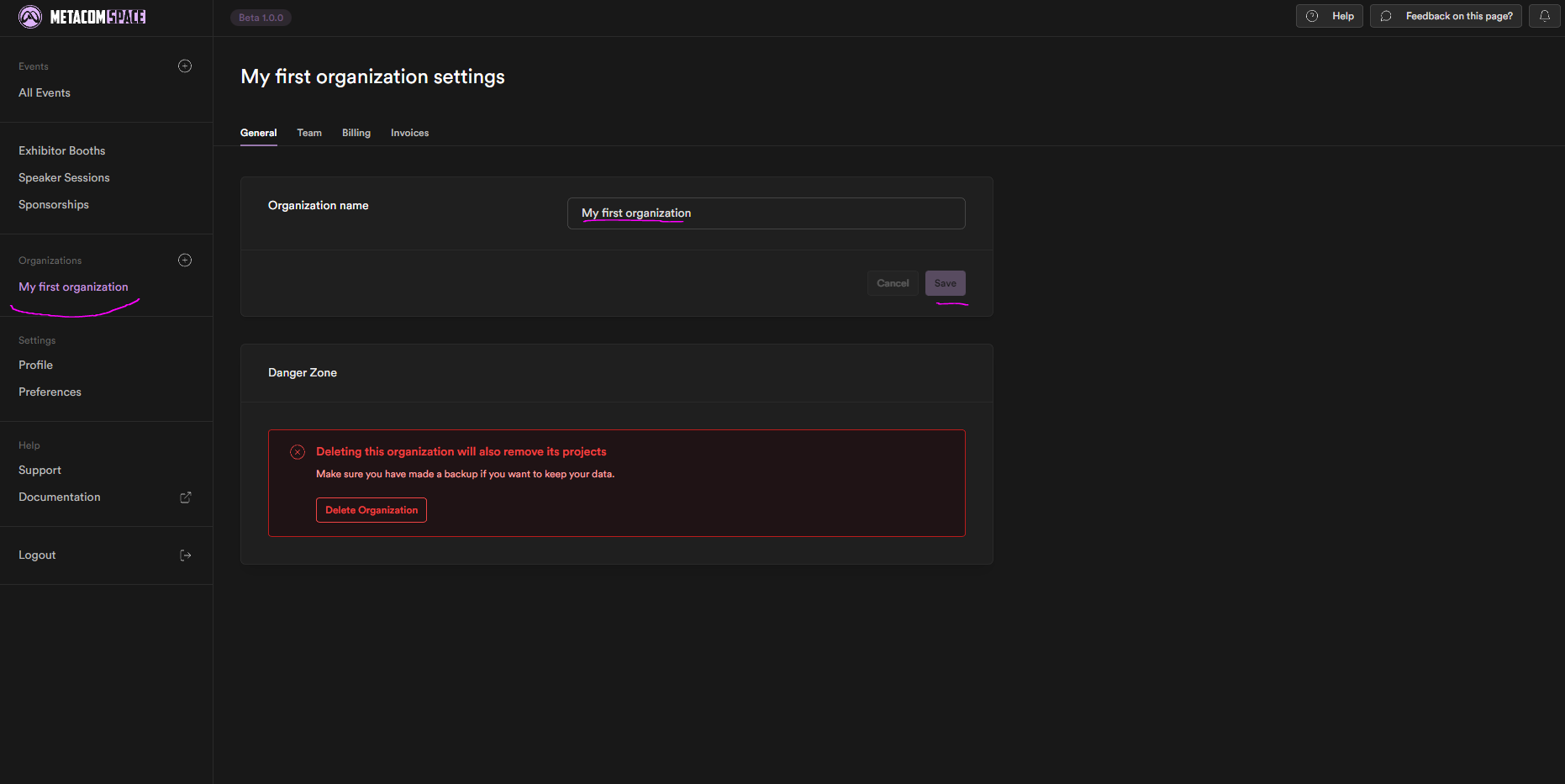
This will be the Dashboard you will be met with.
It is important to familiarize yourself with the dashboard, for every event you want to attend you will need to know where to go!
The second step will be to rename your Organization in the "Organization" Section of the left side menu highlighted in purple!
Your Organization is your team name and it can be changed in the text box highlighted in purple.
Any Change should be saved or will not be saved when refreshing or deleting the tab, the save button is below the text box highlighted in purple as well!